If you decide that you no longer wish to use Navigatr, you can delete your account. Please be aware that this action is permanent and cannot be undone after the grace period.
Steps to Delete Your Account
- Visit navigatr.app and sign in with your email and password.
- Click on your profile icon, then select the Settings icon (gear symbol) at the top right of the profile page.
- In the settings menu, click on Data & Privacy.
- Look for the option 'Delete my account' and click on it.
- You may be prompted to enter your password again for security verification.
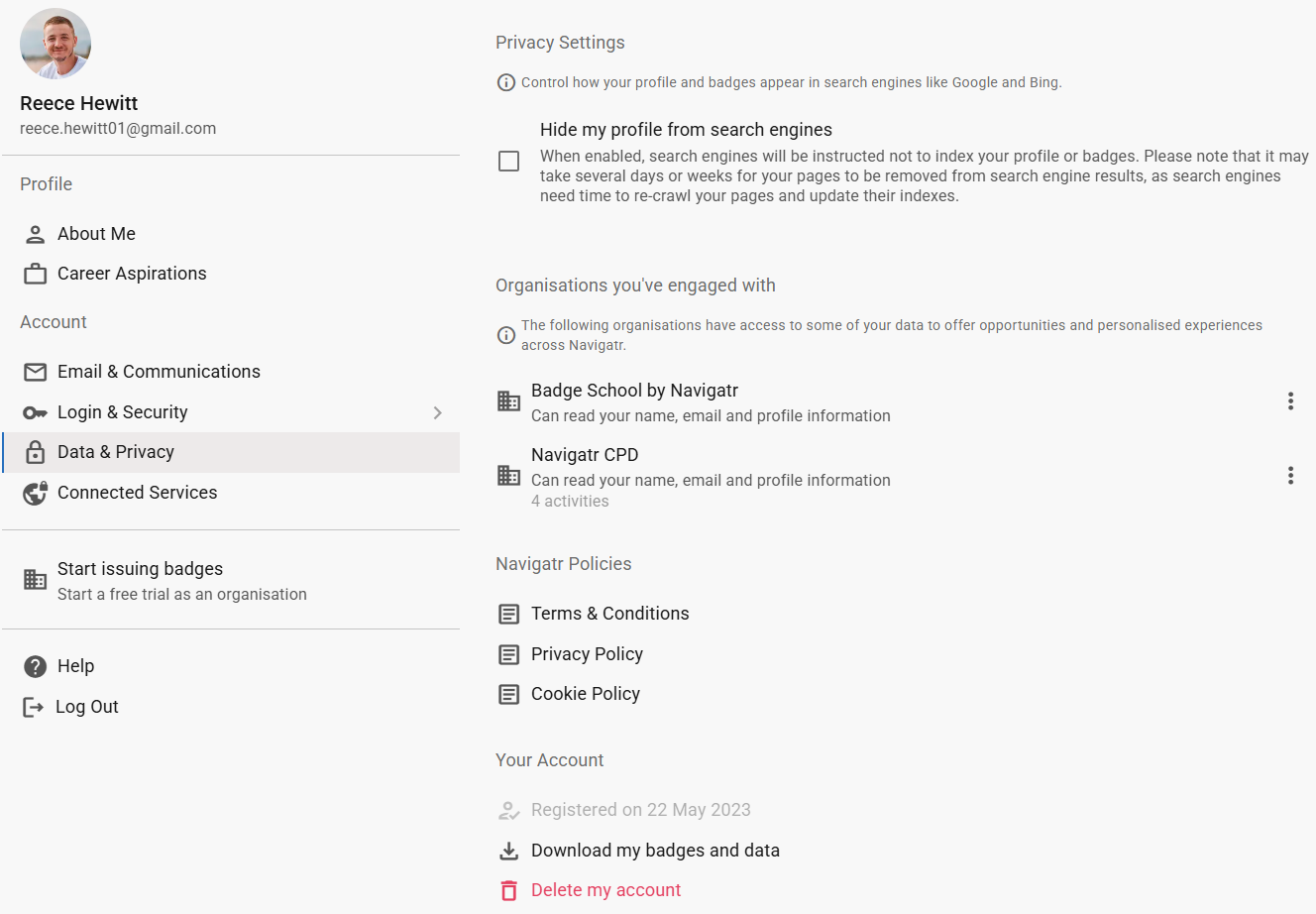
Confirm Your Decision
- Read the information presented carefully.
- Important: Deleting your account is irreversible after the grace period.
- If you are sure, click 'Confirm', 'Delete Account', or follow the prompts to finalise the process.
Grace Period
- Your account will be scheduled for deletion after a 14-day grace period.
- During this time, you can change your mind by logging back into your account.
- After 14 days, all your data will be permanently deleted and cannot be recovered.
Important Considerations
- Data Loss: Deleting your account will erase all data associated with your profile, including badges, activities, pathways, and personal information.
- Download Your Data First: If you wish to keep any records, make sure to download your data before deleting your account (see Requesting a Copy of Your Data and Badges section).
- Reversing Deletion: Within the 7-day grace period, you can cancel the deletion by simply logging back into your account.
- After Deletion: Once the 7 days have passed, your account and data cannot be recovered.
Tip: For questions or concerns about account deletion, please contact support@navigatr.app.
Was this article helpful?
That’s Great!
Thank you for your feedback
Sorry! We couldn't be helpful
Thank you for your feedback
Feedback sent
We appreciate your effort and will try to fix the article