The Participants tab in a pathway allows you to monitor how learners are progressing through it. From the pathway overview page, you can track overall engagement, review individual progress, and see completion across all included badges.
This article explains how to use both the Participants and Statistics tabs to monitor learner progress within a pathway.
Accessing the Participants and Statistics Tabs
From the left-hand menu, navigate to Pathways.
Select the pathway you want to review.
Use the Participants and Statistics tabs within the pathway overview.
Tracking Individual Participant Progress
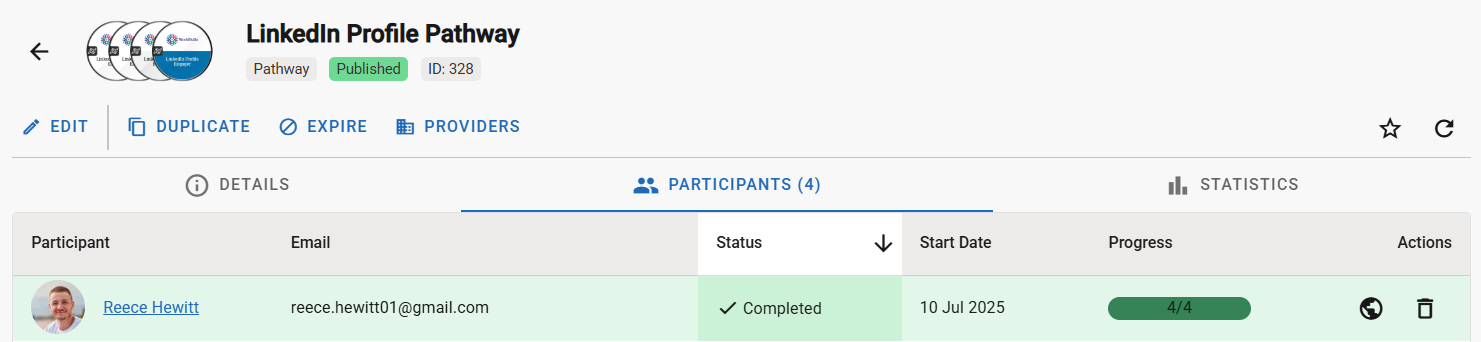
Below the summary, each participant is listed along with key details about their progress. For every learner, you can see:
Their name, which links to their profile
Their email address
Current progress through the pathway
Completion status
The date they started the pathway
A button to view the badges they have earned 'View Assertion'
A button to remove them from the pathway, if necessary 'Remove from Pathway'
An option to export data as CSV
An option to copy emails
This view provides a clear snapshot of individual performance, helping you identify learners who are on track as well as those who may require additional support.
Viewing Completed and Outstanding Badges
Each participant’s progress is based on the badges that make up the pathway.
Select a participant from the list to view detailed badge progress by clicking the 'View Assertion' button.
Completed badges are clearly shown.
Badges that are still outstanding are listed separately.
This makes it easy to understand where a learner is within the pathway and which badges remain.
Understanding the Statistics Tab
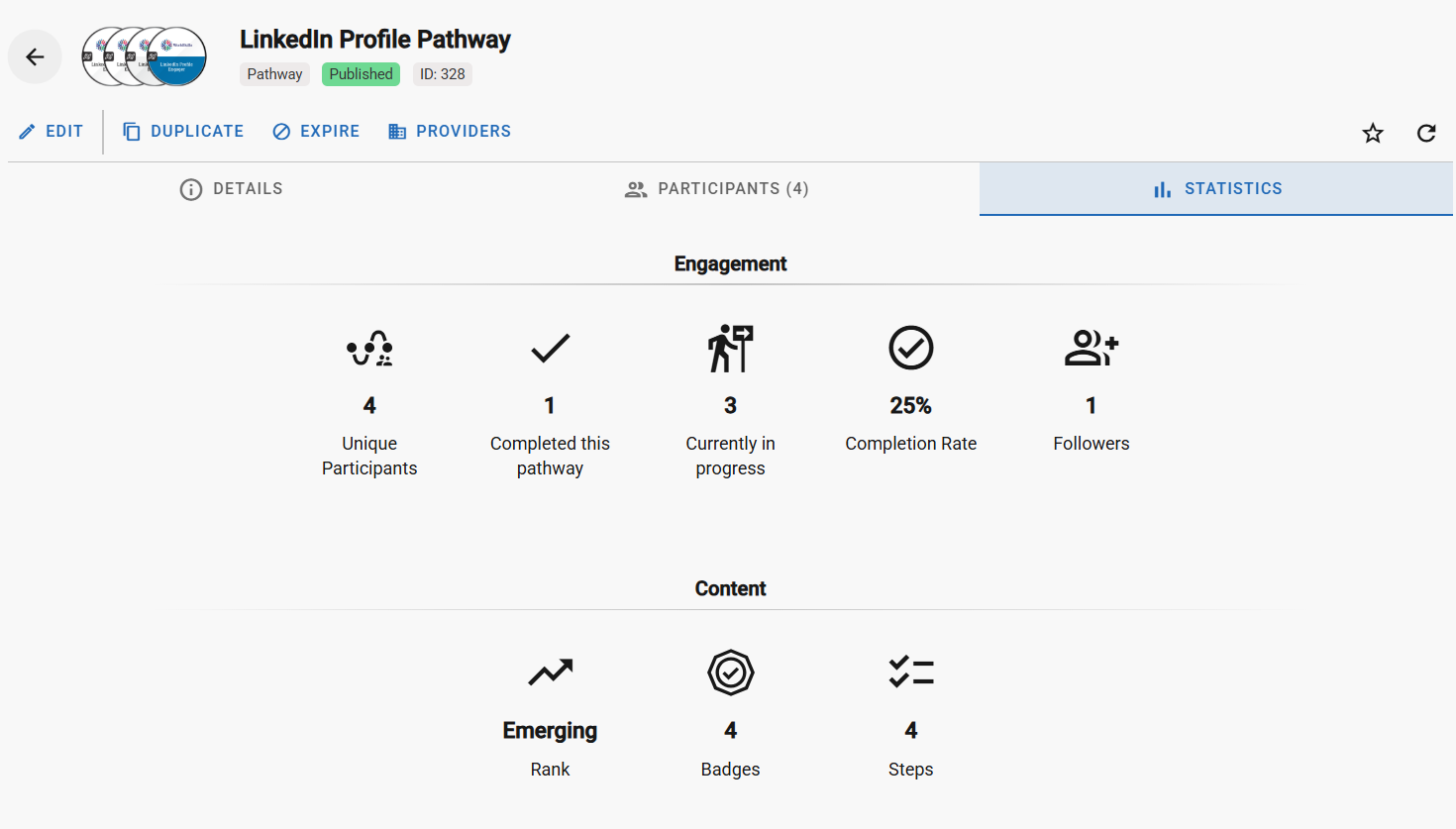
The Statistics tab offers an overview of pathway performance by presenting aggregated data for all participants.
From this tab, you can:
See the total number of participants enrolled
View how many participants have completed the pathway
Check how many participants are currently in progress
Review the overall completion rate
Track how many learners are actively following the pathway
See the total number of badges and steps included
This tab is a valuable tool for evaluating overall pathway effectiveness and identifying trends in learner progress.
Using Progress Data to Improve Your Pathway
By combining insights from the Participants and Statistics tabs, you can:
Monitor learner engagement
Identify badges that may be causing delays or drop-off
Make informed decisions about pathway improvements
Regularly reviewing this data helps ensure your pathway continues to support learners effectively.
For a detailed guide on creating and managing pathways click here
Was this article helpful?
That’s Great!
Thank you for your feedback
Sorry! We couldn't be helpful
Thank you for your feedback
Feedback sent
We appreciate your effort and will try to fix the article